
7800 Link
PrototypeTested on my own console, November 2026
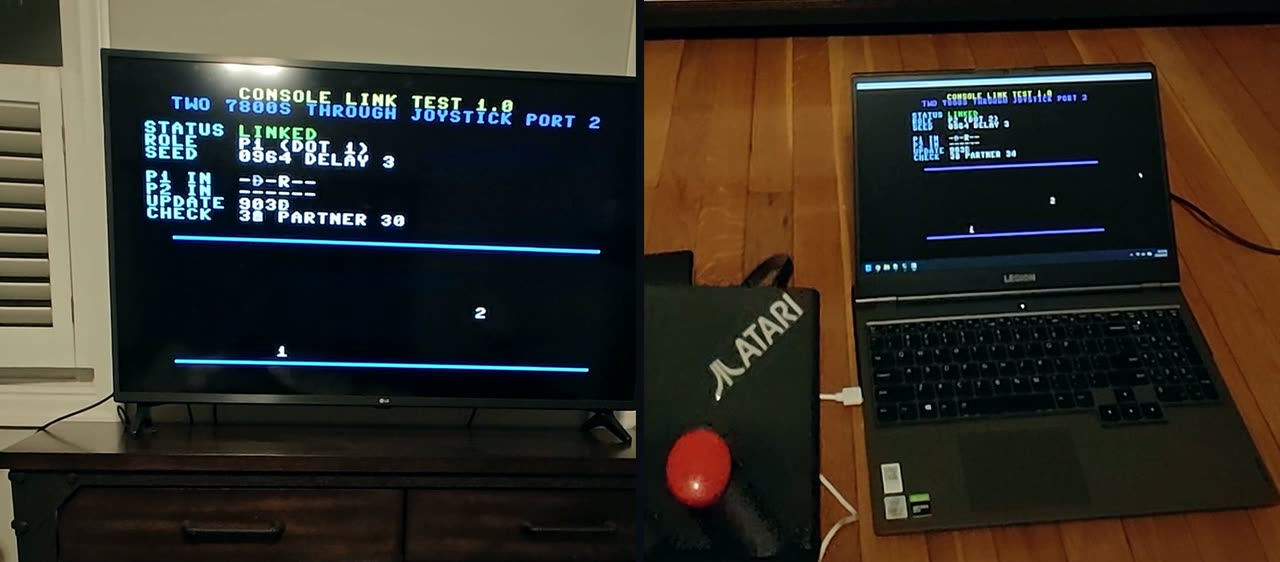
Two Atari 7800s playing one game together, linked through joystick port 2. Today it links a real console to an emulator; real console to real console, and over the internet, come next.
What it is
A small adapter plugs into joystick port 2 of an Atari 7800. It passes the game's updates to another 7800, so two players can each have their own console and their own TV, playing the same game.
In the video, my real 7800 (running a link test on a GameDrive cart) is linked to an emulated 7800 on a laptop. Both screens say LINKED; the joystick moves dot 1 on the TV and on the laptop, and the laptop's keyboard moves dot 2 on both.
That session ran for about 11 minutes: around 39,000 updates each way at 60 a second, with no drops.
How it works
The chain
Either end can also be an emulator, or a 7800 running in a web browser, instead of a real console. Today's test: a real 7800 on one end, an emulator on the other.
Both consoles run the same game
Only the players' inputs travel, a few bytes per update. Each console works out the whole game from both inputs, in the same order, so both stay in step (this is called lockstep). Every input is used a few updates after it is pressed, on both consoles alike. That small, fixed delay gives the far input time to arrive, and the adapter answers the console straight away, so the game never stalls waiting on the internet. A check byte in every update catches the two consoles drifting apart.
The wiring
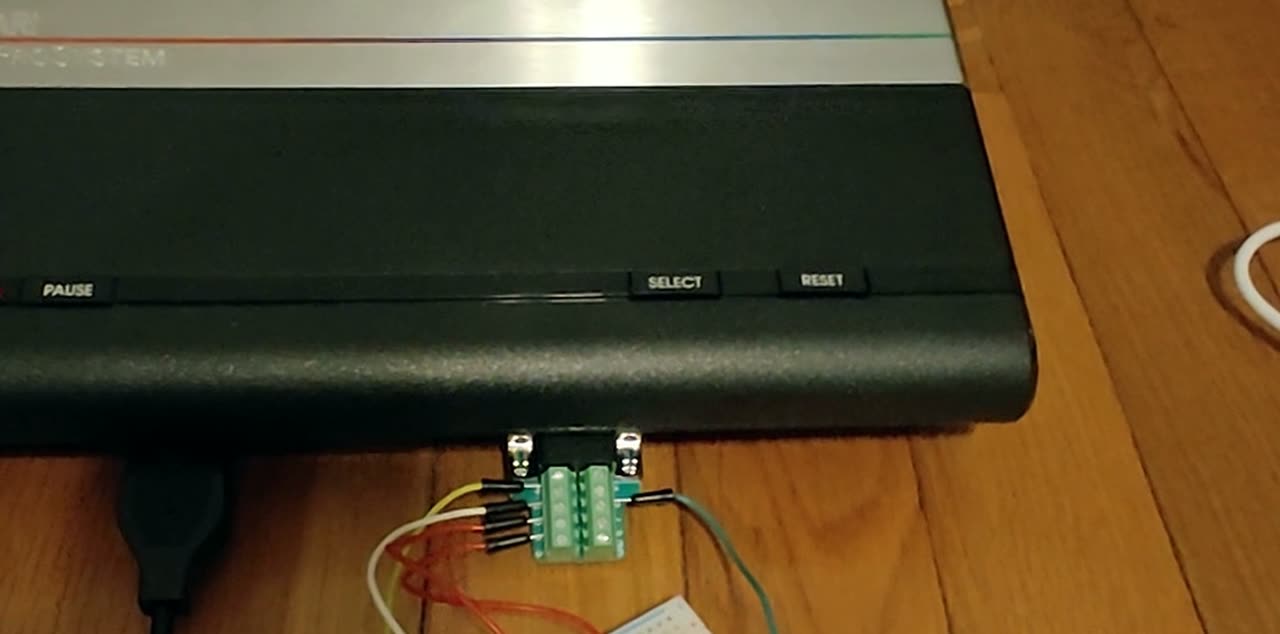
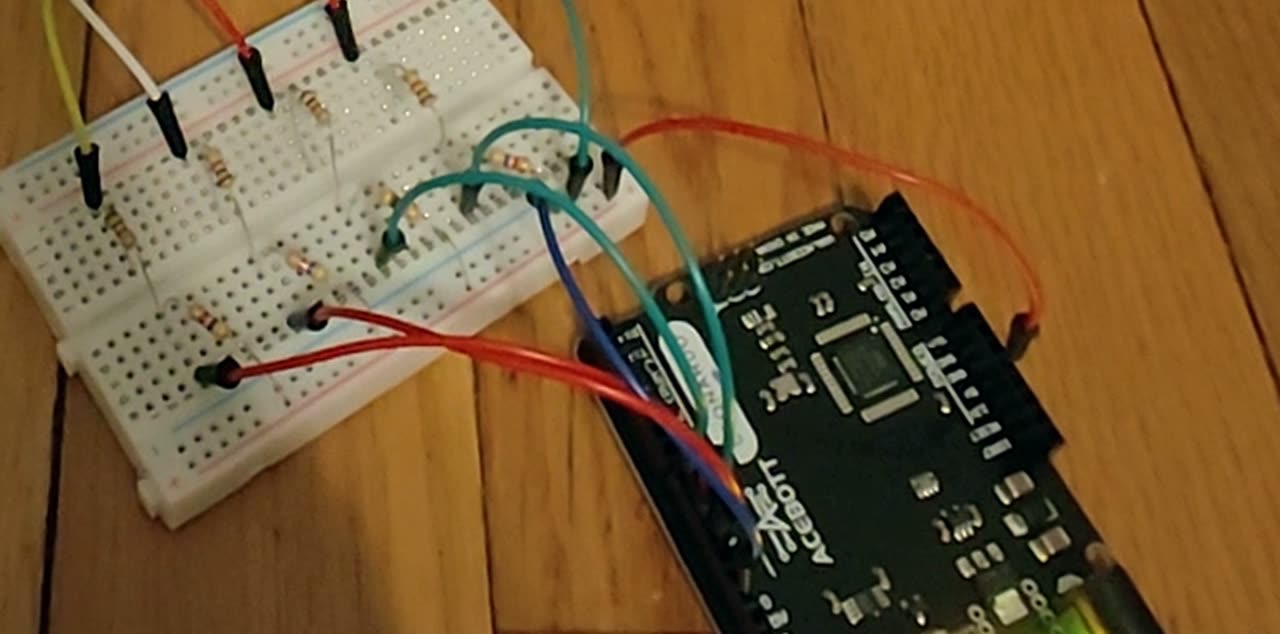
The adapter only uses the four direction pins of port 2 and ground. Each direction pin goes through its own 1 kOhm resistor, which keeps both sides safe if they ever disagree about who drives a line.
| Port 2 pin (DB9) | Through | Leonardo pin |
|---|---|---|
| 1 (up) | 1 kOhm | D10 |
| 2 (down) | 1 kOhm | D11 |
| 3 (left) | 1 kOhm | D8 |
| 4 (right) | 1 kOhm | D9 |
| 8 (ground) | a plain wire | GND |
| 7 (+5 V) | never connected | |
| 5, 6, 9 | not used | |
Pin 7 is the console's own 5 V supply; the PC's USB power and the console's must never meet. The adapter only ever pulls a line low or lets it go, never drives it high.
Pictures
What could be possible
Two 7800s in one room with a cable, or in two homes through the adapter and a relay.
A real 7800 against another one, an emulator, or someone playing in a web browser.
Each player gets their own full view. DREAD 2P is the test game for this, in testing now.
Two players on the same side, each on their own console and TV.
Chess, cards and strategy, where internet delay does not matter at all.
No accounts: you pick an arcade-style tag like ACE or ZAP.
A lobby, planned
The idea: a console shows a room code (or a QR code for a phone) and your friend joins it, from their own 7800 or from a browser. A JOIN ANY option would pair you with whoever is waiting. When nobody is around, you could play a BOT opponent, always clearly labelled, and bot games never count on the human leaderboard.
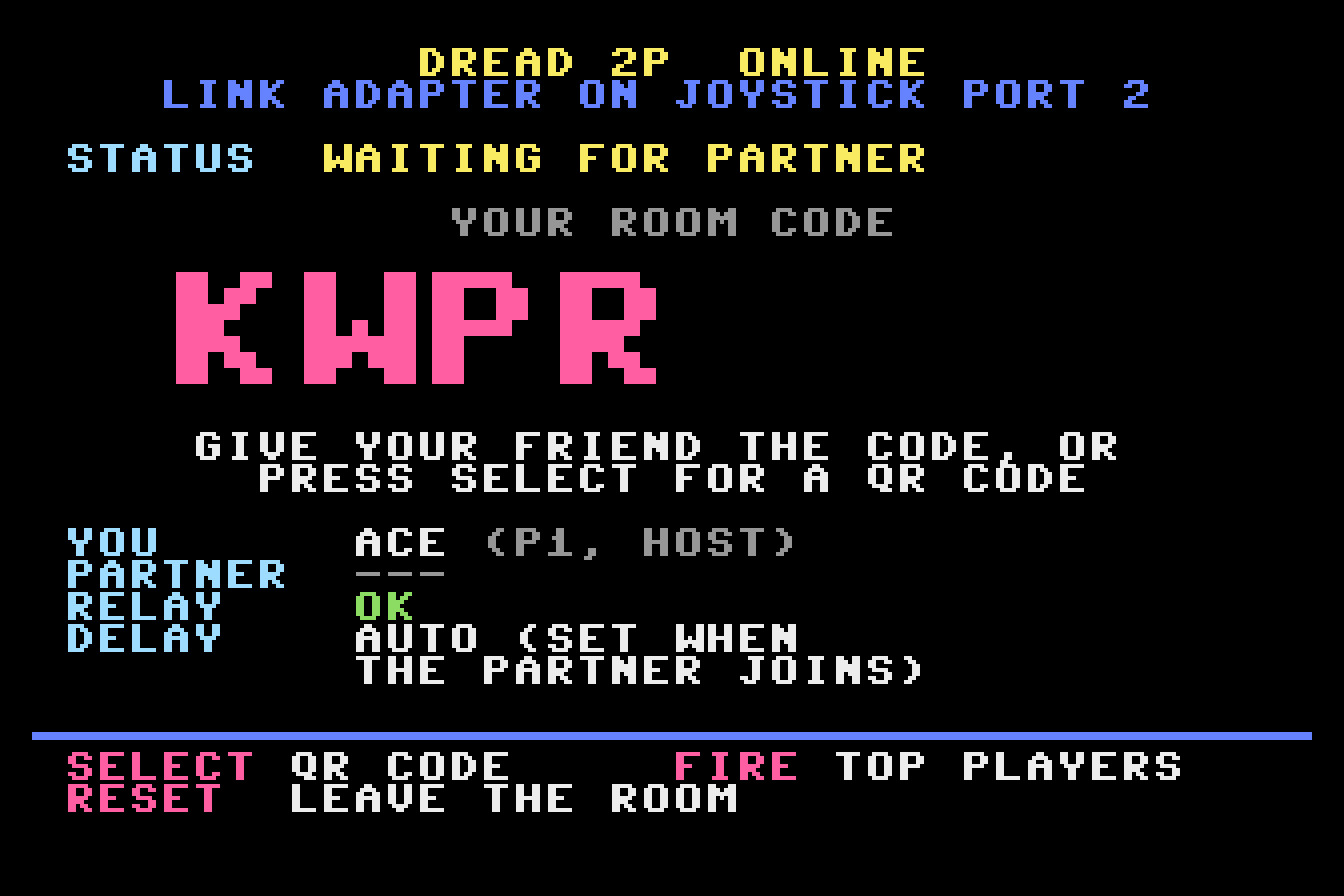
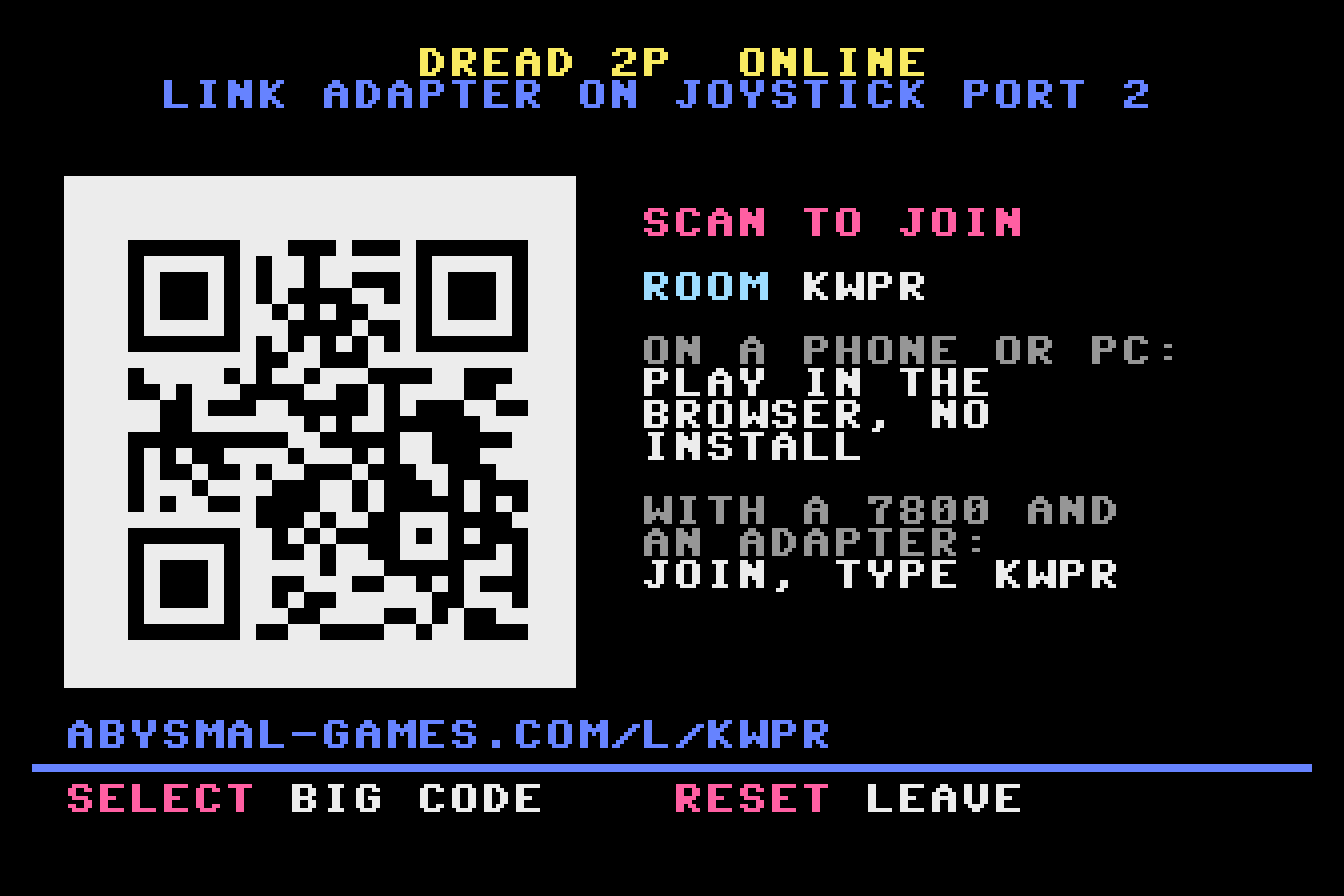
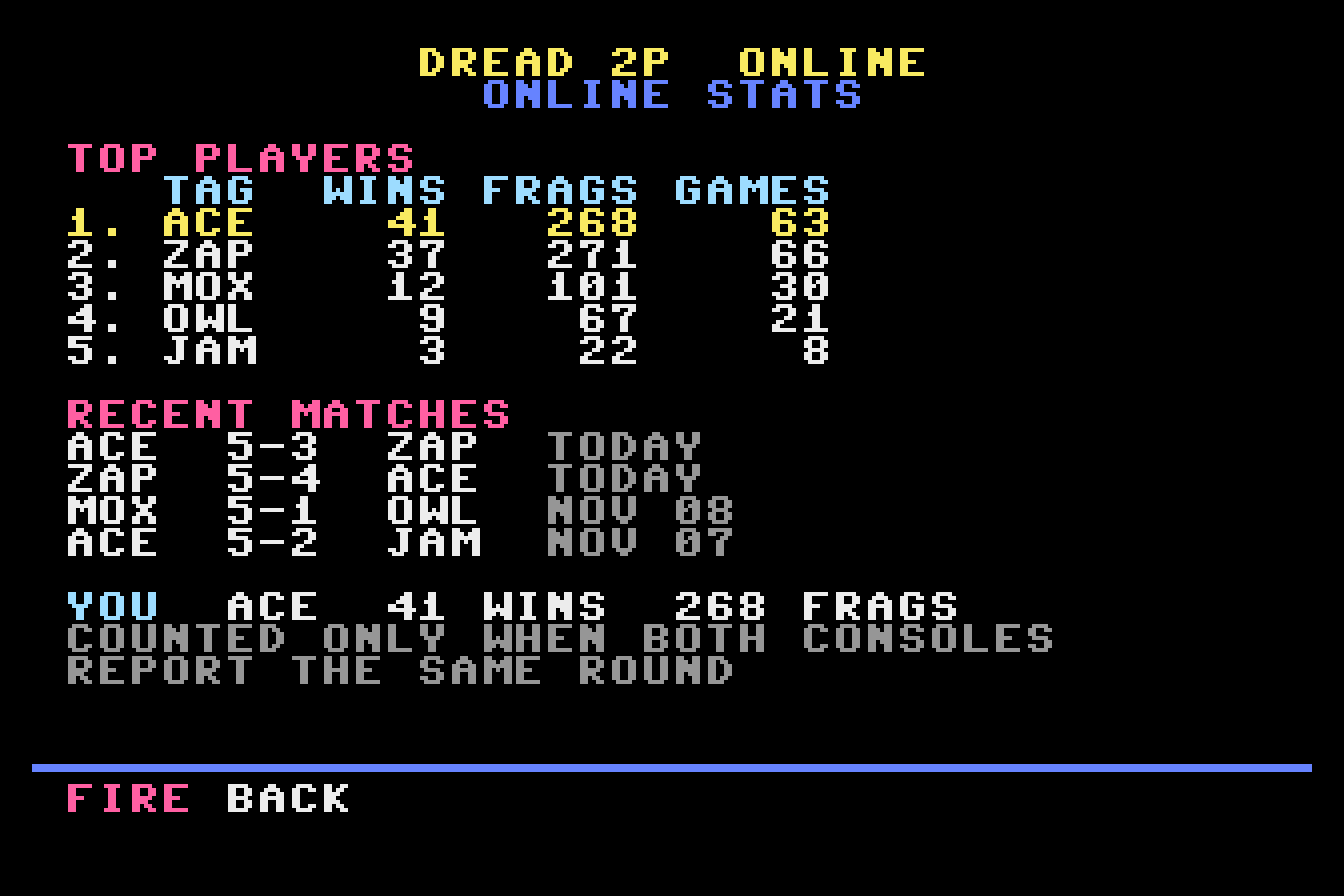
These are mockups of planned screens, with made-up names and numbers.
Leaderboards
Two kinds are planned:
- Per-game stats, made for one game (for DREAD 2P: wins, frags, games played).
- A generic leaderboard for any game that registers: the game sends a small report after each match (who won, the scores, and optionally a few columns of its own), and the board does the rest.
Both consoles send their report, and the relay counts a match only when the two reports agree.
See the lobby preview
A preview with sample data: nothing is live yet.
Build one
Not just yet! This is a prototype, and the firmware, wiring and games that support it are still changing. Nothing here is ready to use yet, so please hold off building one until the full build guide and the files are released. The list below is just to show what's involved.
The next adapter needs no soldering: every connection is a screw terminal. About $30 in parts and an evening.
- Arduino Leonardo (a 5 V board) and a USB data cable
- A screw-terminal shield that plugs on top of it
- A DB9 extension cable, male to female, straight through (not "null modem")
- A DB9 female screw-terminal breakout
- 4 x 1 kOhm resistors and a little solid-core wire
- Flash the adapter's firmware onto the Leonardo, on its own.
- Fit the shield, then run each of pins 1 to 4 through its resistor to D10, D11, D8 and D9, and pin 8 to GND with a wire. Pin 7 stays empty.
- Check it with a meter before it goes near a console: about 1 kOhm on each line, ground beeps, nothing on pin 7.
- Console off: cable into port 2, USB into the PC, then power on.
A full build guide is coming soon. A small PCB version is planned later.
For developers
The link lives in the game: a game has to support it, so it only works with games built for it.
- Small: about 660 bytes of ROM and about 40 bytes of RAM.
- A few calls: start the link once, then exchange inputs every update.
- Deterministic: the same inputs must give the same results on both consoles. Randomness comes from a seed both consoles share, and nothing in the game logic may depend on local timing.
link_start();          // find the other console
// then, every update:
link_my_in = my_stick;
link_exchange();       // swap inputs
p1 = link_in[0];       // the same two inputs
p2 = link_in[1];       // on both consoles
Notes
- Port 2 is used by the link, so a linked game is played with the joystick in port 1.
- On a GameDrive, set BREAK to off for link games: its break feature pulses port 2 and breaks the link.
- Not yet tried on the Concerto or the 7800+.
Coming soon: the library (for cc7800 C, plain 6502 assembly and 7800basic), the protocol spec and the adapter files, all open source.
Status
Prototype A real 7800 linked to an emulated one through the adapter, on my own console (November 10, 2026).
Next:
- Two real consoles over the internet.
- DREAD 2P link tests.
- The online lobby.
Part 2 of the video series will show two real consoles linked over the internet.